The automation layer that runs a booking business
A CRM, a booth platform and a marketing website only become one business pipeline if something moves the data between them. At ClickBox that something is a self-hosted n8n instance — and a strict rule about how it gets changed.
25 quotes / day
From form submit to a localised quote in the inbox, nobody touches a thing. My only job left in sales is the top of the funnel: getting the leads.
- 01 · CaptureLead + dealA website form fans out to a CRM deal and the follow-up sequence.
- 02 · NurtureQuote + follow-upsStaged emails link to a personal proposal page; engagement there picks the next step.
- 03 · ConvertOnboarding + contractForm answers and uploads route into contract generation, ready to e-sign.
- 04 · ClosePayment + invoiceA payment confirmation issues the invoice and updates the deal — loop closed.
Lead intake, node by node
From form submit to a localised quote in the customer’s inbox — with no one touching it.
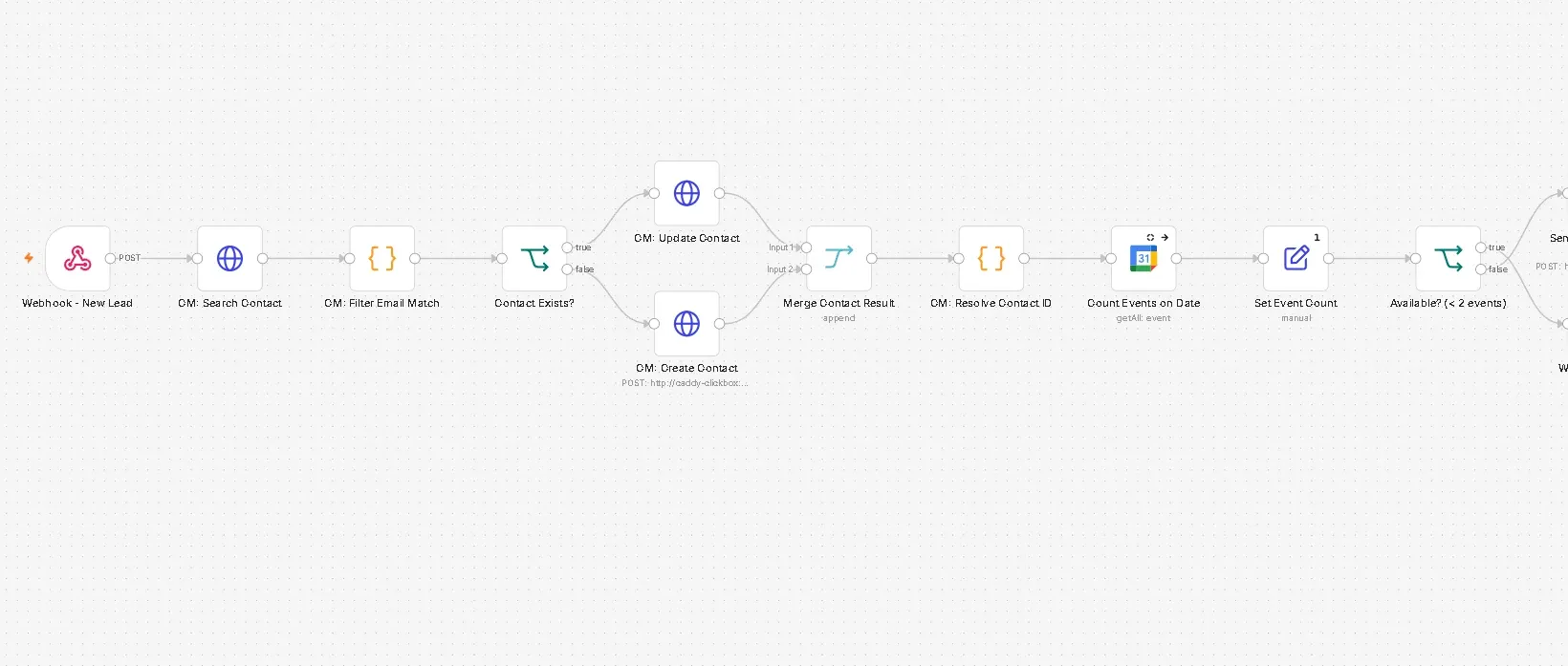
- 1New lead webhookThe website posts the form straight into n8n.
- 2Find or create the contactSearch the CRM, match on email, update or create, then merge to one contact ID.
- 3Check the calendarCount events already booked on that date — fewer than two means a booth is free.
- 4Say no, politelyA full date gets a no-availability email instead of silence.
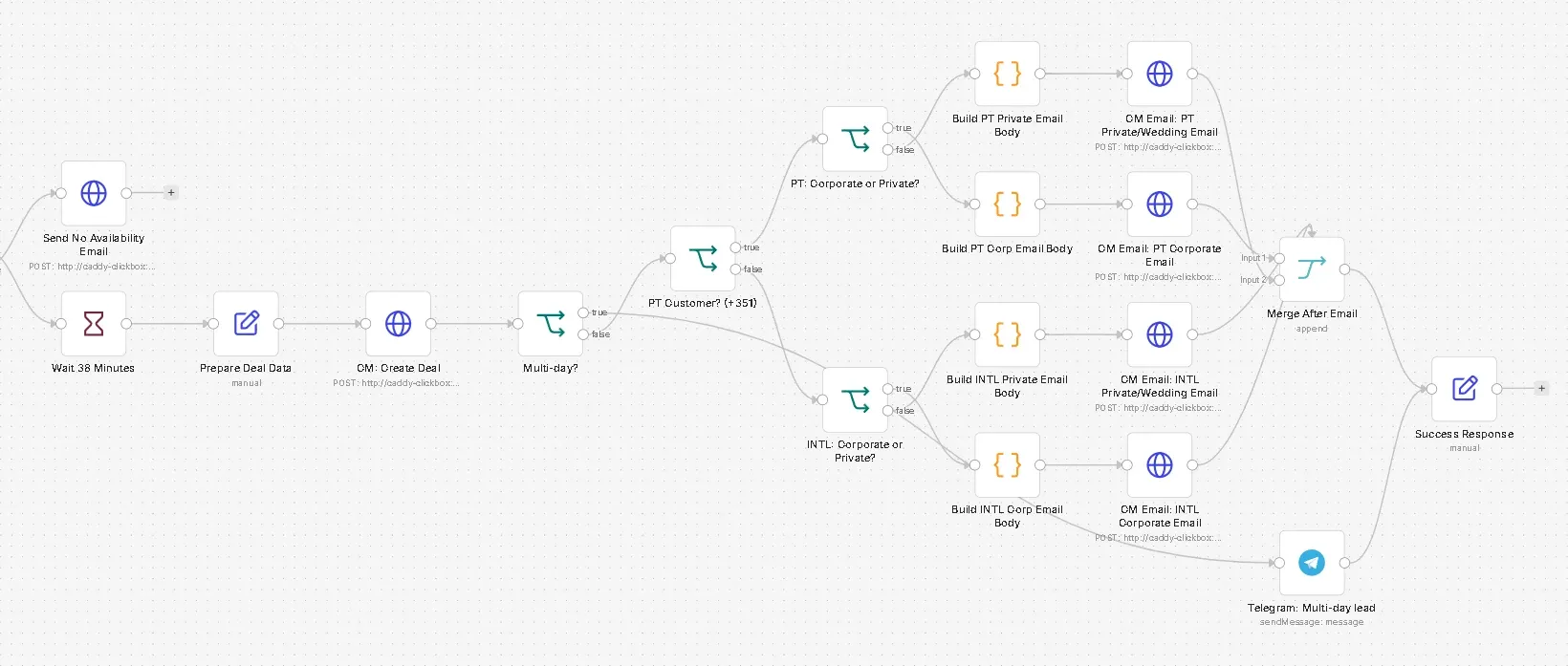
- 5Wait 38 minutesOn purpose — an instant quote reads like a bot; this one reads like a person.
- 6Create the dealDeal data is prepared and written to the CRM against the resolved contact.
- 7Route the quotePortuguese (+351) or international × private or corporate — four email bodies, sent via the CRM.
- 8Flag the big onesMulti-day events ping Telegram, then the website gets a success response.
Server-side conversions
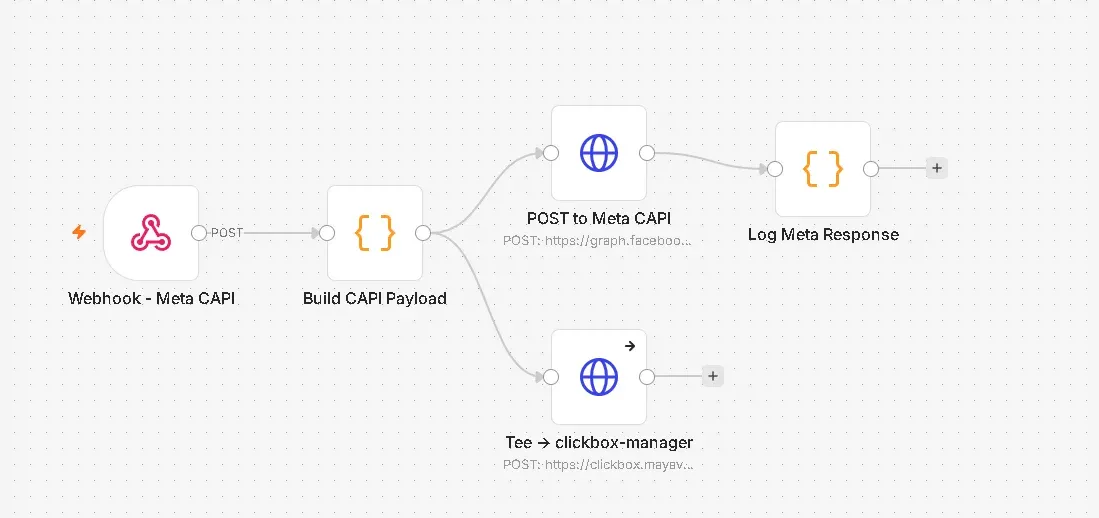
Ad-blockers and browser privacy break pixel tracking, so conversions go to Meta’s Conversions API from the server: build the payload, post it, log the response — and tee the same event into the CRM.
Deploys are automation too
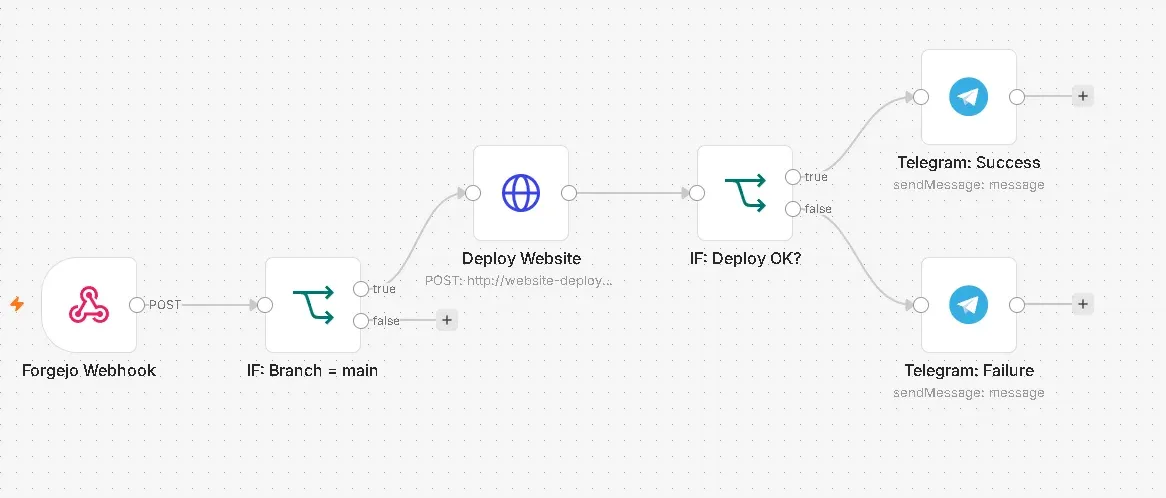
A push to main fires a Forgejo webhook; n8n deploys only the changed files — never a full mirror sync that could wipe the target — and reports success or failure to Telegram.
Never edit a production workflow in place
Automation platforms make it easy to hot-edit a workflow that’s mid-flight for real customers. A shortcut here doesn’t fail loudly — it fails as a customer email that silently never sent.
- Step 1DuplicateCopy the live workflow; the original keeps serving.
- Step 2Modify the copyAll changes happen away from production.
- Step 3Run in parallelSame triggers, both versions, until output parity.
- Step 4Cut over, archiveSwitch traffic, keep the old one to roll back to.
Photo delivery, automated
At events, kiosk uploads land in a workflow that writes per-event gallery content and republishes the guest gallery — no one touches a file.
What I’d bring to your team
The value isn’t any one workflow — it’s making sure the handoffs between independently built systems don’t quietly drop data.